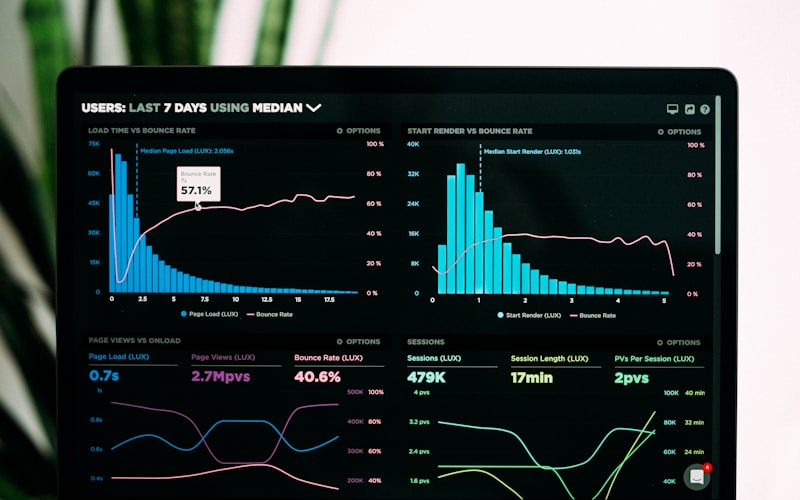
Why Speed Matters
- 53% of mobile users abandon sites that take over 3 seconds to load
- A 1-second delay reduces conversions by 7%
- Google uses page speed as a ranking factor
- Faster sites have lower bounce rates
Measuring Your Speed
Tools to Use
- Google PageSpeed Insights
- GTmetrix
- Pingdom
- Chrome DevTools
- Core Web Vitals
Key Metrics
- Largest Contentful Paint (LCP): Should be under 2.5s
- First Input Delay (FID): Should be under 100ms
- Cumulative Layout Shift (CLS): Should be under 0.1
Quick Wins for Speed
Optimize Images
- Compress all images
- Use modern formats (WebP)
- Implement lazy loading
- Serve responsive images
- Use a CDN for delivery
Minimize Code
- Minify CSS, JavaScript, HTML
- Remove unused code
- Combine files where appropriate
- Defer non-critical JavaScript
Enable Caching
- Browser caching
- Server-side caching
- CDN caching
- Database query caching
Choose Better Hosting
- Invest in quality hosting
- Consider managed WordPress
- Use SSD storage
- Choose server location wisely
Advanced Optimizations
Critical CSS
- Inline above-the-fold CSS
- Load non-critical CSS asynchronously
- Remove render-blocking resources
JavaScript Optimization
- Async and defer attributes
- Code splitting
- Tree shaking
- Service workers
Database Optimization
- Clean up revisions
- Optimize database tables
- Use object caching
- Limit plugin queries
Mobile Speed
Mobile users have less patience and often slower connections:
- Prioritize mobile performance
- Reduce payload sizes
- Simplify mobile layouts
- Test on real devices
- Consider AMP for content sites
Monitoring Performance
- Set up regular speed tests
- Monitor Core Web Vitals
- Track user experience metrics
- Set performance budgets
- Alert on degradation
Need help speeding up your website? Contact us for a performance audit.